1) input a die code
2) press enter to roll
3) rinse, repeat!
Site News
Formula support has been improved, to allow for the correct usage of parentheses
when entering dice roller commands. Let me know if you run into any issues!
You can now embed images with your die roll result into forums and other web software.
When rolling inside a Dice Room, you will see a little white D8 next to your name.
Click on it to get the embeddable image. Images have addresses like:
http://rolz.org/embed?492927
for example and you can embed them into most forum
software through a BBCode like [img]http://rolz.org/embed?492927[/img]
Persistent unicode problems have now been solved. You should be able
to use any character in the dice room now.
Alright, we have moved to our own domain: rolz.org!
Looks like everything still works, let me know if you encounter
any problems.
You can now define code macros, save/load your data, and use
the '#' character to annotate your dice roll.
I hope you guys like the redesign, I guess it was time
after maybe 3 years or so... Functionality
is the same for now, just a few layout changes. I have
some new feature ideas, but don't know what I'd like
to do first:
Dice Room improvements: more realtime-y chat, a few more functions like macros and such
A very simple character/NPC creator with customizable rules
A dungeon generator maybe?
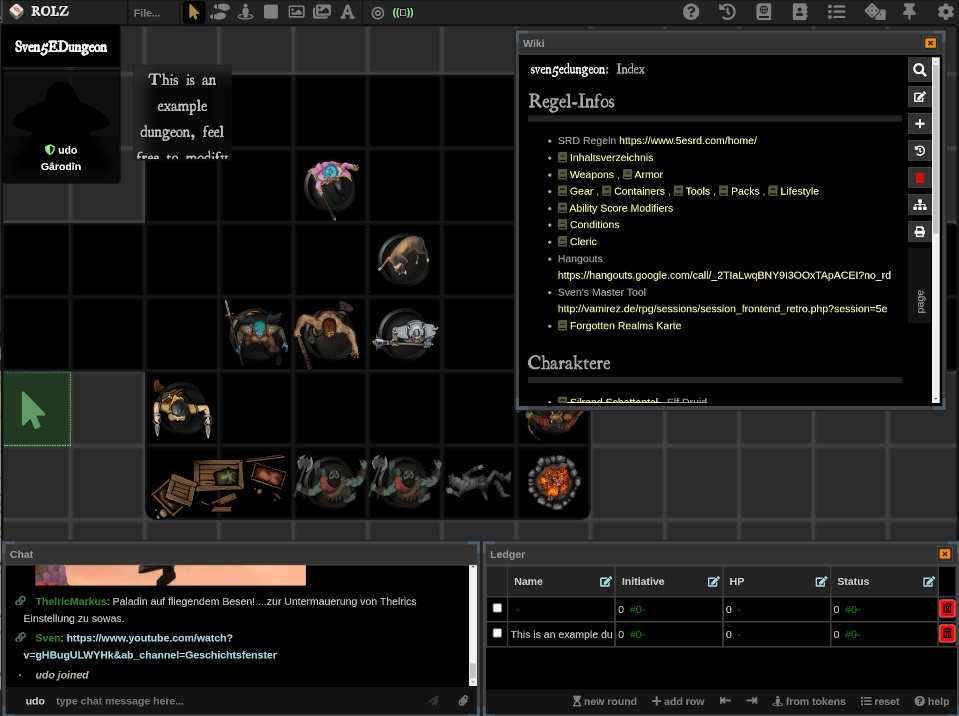
A visual dungeon map combined with the dice room chat
It might take ages until you can actually see something, but what would you like to see next? Drop me a line.
In other news, we have about 1000 visitors on an average
day now!
Double-click a die to roll it! ^
Click once to load it into the textbox on the left.
Welcome to the Roleplayer's Online Dice Roller, your one-stop virtual bag of dice! The Roller interprets
standard dice codes presented in the standard notation.
In order to get a result, please enter the dice code into the input field and hit enter.
You can also click on the standard dice on the right to load them into the field. Click double
if you want to roll one of them right away. It's an AJAX application, magical things will happen!
Examples: (click once to load, click twice to roll right away)
I'm a full stack web developer and allround software guy, give me a call if you
have an interesting project:
Udo's CV
Basic Dice Codes:
Drop the lowest: if you want to drop the lowest die result, use "L" instead of "D" in the dice code.
Example: 4L6
Take the highest: if you want to roll multiple times but have only the highest result count, use "H".
Example: 2H20
Fudge Rolls: if you want dice to have values from -X to +X, use "U" instead of "D" in the dice code, followed by X.
Example: 4U1
Hero System damage rolls: total result is counted as stun damage. On top of that, body damage is calculated
by counting ones as zero, 2-5 as 1, and sixes as 2 points of body damage. You can also use the "*" operator for the stun multiplier.
Example: 4B6 / with stun multiplier:
4B6*3
For "killing"-type damage, use the K operator like this: 4K6*3
Wild Die (D6 System): The D6 System has a special rule for one of the dice in each roll, it becomes the "Wild Die".
The Wild Die is rolled again as long as it comes up with the max result, but if the first roll is a 1 the next roll as well as the
highest result of the other dice becomes a penalty. Two ones make a critical failure.
Example: 4W6 You can also roll without the wild die failure option by using the V code:
Example: 4V6
Take X highest rolls:
This rolls a number of dice and then adds the highest results together.
For example, roll a d10 7 times and add the highest 4: 7D10z4
The default die of this roll type is d10, so 7z4 can be used as a shorthand for 7d10z4.
Success-Based Rolls
Count the number of successes: to see how many dice rolled equal to or greater than some number, use "E".
Example: 4D6E4
The default die of this roll type is d6, so 4e4 can be used as a shorthand for 4d6e4.
Successes with additive re-roll (Shadowrun): to see how many dice rolled equal to or greater than some number,
use "R" if you want the individual die maximum to trigger a re-roll. This way, you can have target difficulties greater than the max number of the die.
The system also gives you the number of ones rolled (if there were any) so you can judge whether an action resulted in a fumble.
Example: 4D6R8
The default die of this roll type is d6, so 4r8 can be used as a shorthand for 4d6r8.
Successes minus failures: to see how many dice rolled equal to or greater than some number, and subtract the amount of ones rolled, use "F".
Example: 4D6F4
The default die of this roll type is d6, so 4f4 can be used as a shorthand for 4d6f4.
Successes "plus": to see how many dice rolled equal to or greater than some number, and roll every max result again and see if it's another success, use "M".
Example: 4D10M4
The default die of this roll type is d10, so 4m4 can be used as a shorthand for 4d10m4.
Successes with everything (World of Darkness): to see how many dice rolled equal to or greater than some number, and roll every max result again, and subtract the amount of ones rolled, use "S".
This is probably the one you want for most systems.
Example: 4D10S4
The default die of this roll type is d10, so 4s4 can be used as a shorthand for 4d10s4.
Successes with multiple dice:
Some systems use the cumulative result of two or more dice to determine successes, here the sum of several dice
is compared to the difficulty rating. To emulate this, you can group dice like this:
Example: 1D6:6S4, meaning 2d6 will be rolled and 4(+) is a success.
Example: 5D6:8S10, here a d8 and a d6 will be rolled, a sum of 10(+) is a success, the entire check is rolled 5 times.
Maximum possible die result counts as two successes: to see how many dice rolled equal to or greater than some number, use "X".
Example: 4D6X4
The default die of this roll type is d6, so 4x4 can be used as a shorthand for 4d6x4.
Get the highest roll:
To see only the highest roll, just leave the success/difficulty rating out.
Example: 4D6R
Power User Stuff:
To see how an individual result came to be, let the mouse pointer hover above the number to see more details. If your
browser won't show the details, click on the result to expand it instead.
Multiple rolls at once: to roll for multiple things (e.g. an attack and a damage roll), you can
chain together dice codes by semicolons.
Example: 1D20;1D6+2
A number of rolls: if you want to repeat the same roll for a number of times,
use the repeat command.
Example:
repeat 6 3D6
You can add comments to your roll by appending a pound sign # followed by some text to your code, like this:
1D20+2#attack roll
Custom attributes: another way to define custom rules for a single roll command is using attributes. The following attributes are currently supported:
reroll: ignore one or more results and roll again ( reroll=1,2 4d6 )
explode: specify one or more results that cause the die to be rolled again and the result added up ( explode=5,6 4d6 )
default die: specify another default die ( die=4 7z4 )
You can combine attributes with another, and also use macros (see below) to invoke them. It doesn't matter
if an attribute comes before or after the actual dice code, as long as they are separated by a space.
Defining criticals: you can specify what your critical rules are with the rule crit command.
You can define macros to automate repetitive die rolls or often-used number constants (such as your attack bonus).
Saving and loading user data: you can save your customizations (such as the macros you defined)
for later. To save your current session, type "save MyCoolUserName" where MyCoolUserName is an
arbitrary name for your session. You have to remember this name in order to retrieve the session
later with the corresponding command "load MyCoolUserName".